Showing posts with label SQL Server Reporting Services. Show all posts

Wednesday, 5 December 2007

Trigger TimedSubscription programmatically

Hello,

Subscriptions are a way to kickstart Reporting Service in delivering a report to somewhere instead of you asking for the report through a URL access request (portal or custom app). This is also callled push versus pull.

You can configere a timed event to trigger off those kind of subscriptions. But in some occasions you want some "custom" event to trigger of a subscription. You can not configure something like that through the configuration tools (reportmanger or SqlServer Management Studio).

Lukasz Pawlowski (http://blogs.msdn.com/lukaszp/archive/2005/10/07/478391.aspx) explained a way to tell Reporting Services to kick of a subscription with the SOAP API of Reporting Services. There is a method called FireEvent that can trigger the subscription. Lukasz suggests creating a dummy schedule that is will never run because it's configured in the passed. The report subscription you want to launch uses this dummy schedule. In a program you call the Firevent method on the reporting WebService .... and your report is delivered as you specifed it in your subscription.

I will show some screenshots how I did it, following Lukasz's tips.
So this is the report I want to be delivered on a file share in PDF.


First I make a dummy shared schedule. But one that will never fire a time event.


Now I create a new subscription on the report I showed before. It will use the shared schedule as Time Event generator.


In order to launch this subscription I must simulate a time event. The SOAP API of Reporting Services just gives me that.


This is a code snippet in VB.NET 2005 of how you could just do that.


It is important that you use the ID (ie. GUID) to specify the subscription. You can also look it up in the Subscription table of the reportserver database.


But before you go off and launch this code one thing is left to be configured (besides the folder share of course) . The account under which this program must execute will need "generate event" privilege on Reporting Service level. Because this is a single machine demo setup (november 07 CTP of Rosario). The user tfssetup is also as system admin on RS. So i just checked the checkbox for generating events on the RS syst. admin role .


The code snippet you just so will actually write an entry in the reportserver.Event table. The RS service will pick it up and act upon it. In our example it will write a pdf file into the file share folder (on the local disk ).


Have fun.
Best regards,
Alexander


Thursday, 13 September 2007

SQL Server Reporting Services 2005 XML extensions

Introduction


Microsoft SQL Server Reporting Services (SSRS) has support for a plethora of data sources. Out of the box, its data modules, called data extensions, allow you to build reports from SQL Server and Oracle database, as well as any other database that comes with an OLE DB or ODBC provider.
In SSRS2005 a new provider is available: XML Data provider. This enables you to create reports from ADO.NET datasets or XML documents from URL-addressable resources, e.g. Web services.
This entry shows a step-by-step example (basic report , no parameters) how to use this new SSRS 2005 feature.

XML Data Extension


Principle

The common way for a SSRS server-side report to get its data is through the specification of a relational database and the SQL statement to retrieve the data. The report (interpreted by the report engine) is the consumer and the database is the provider of the data.


It’s the SQL database data extension that will retrieve the data set specified in the report definition from the configured database during design time and run-time when the report has been deployed.

With the XML data extension is now possible to specify an xml document as data source or a web-service method that returns an ADO.NET (typed) dataset.


Instead of specifying a database and using SQL statements, you must point to a web service and specify the web methods and the Xpath for the returning result.

Benefits
  • Out of the box. No need to make a custom Data Extension for processing (serialized) ADO.Net datasets. Also you do not need to deploy extra software to the server and the report designer workstations.
  • You can put data retrieval and/or transformation in code behind the web service method instead of using pure SQL or stored procedures.

Concerns

  • Pure data push functionality still not available like in for example crystal Reports where you can give data to the report (and report engine). SSRS2005 has this possibility for client-side reports used together with the Report viewer control. Need for custom data processing extension for server-side reports.
  • ADO.Net serialization over SOAP is resource-intensive

Example

Webservice
Define a webservice with a webmethod that returns a (typed) dataset.


Configure the web service to use the IIS as host and not the default Visual Studio ASP.NET hosting server when you use VS2005 to build a web service. The web tab appears when you use the ASP.NET web service project template (available in VS2005 Service Pack 1 or you can download it as separate add-on)


Test the web service


Report data source
Specify a data source that point to the previous defined webservice. Choose XML as data extension. The connection string the URL to the webservice


Report data set
Specify the report data set. Instead of SQL syntax you must talk the “web-service” language. You can deduce this information from the web service test page and result page.
Basically you specify

  • Name of the webmethod
  • Xpath to get result from the web service response document , among others the name of the dataset and the name of the dataTable

    With a tool like Webservice Studio you can actually see what the soap messages look like when you execute a web method request.


Execute the data set


Report layout


Preview the report.


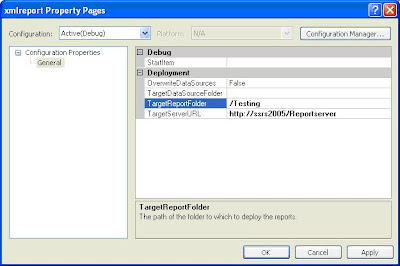
Report deployment


Run the report


Sources and recommended reading